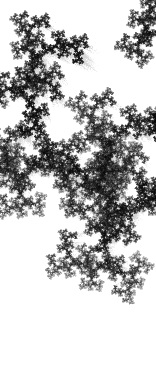
paused fractal
I’ve updated yet again. This time I’ve increased the refresh rate and changed the way that I do the motion blur. Instead of keeping a buffer of past images and redrawing them all for each frame, I’m clearing the screen with an alpha factor. That gives a fading trail. I also added a pause on click feature, so you can see a more detailed image if you pause it. Things are starting to come together, and I’m thinking about adding some UI elements to control rate, pause and resume, also hide an show the map indicators with the ability to drag them around the screen.
I also want to work on the movement algorithm to add some more random and compelling movement, like speeding up/slowing down, changing direction, or pulsing through the same point in different directions for a while before zooming off into a completely new area.
Of course I want to add color back too, and experiment with different ways to color the image based on path through the fractal, location, randomness, etc. I’d also like to add movement through the color palette and algorithm as well.
 I’ve made some changes to the way I’m drawing to the canvas. Using the imageData api is much faster, even though it’s a lot less user friendly. I’m able to keep a histogram of hits per pixel in the image. However, mapping the histograms to the color palette is now going to be more complicated, but I can fill in about 20 times the number of pixels. I’m putting the histogram into the alpha channel and I’m going to play with using the fill mode to mask off an image. In the mean time I ended up commenting out the page clear code, and I liked the trailers it produced. So here it is.
 that I picked up in college. It’s really rough, and a very ugly user interface. It’s nothing more than a text area full of json objects and an eval statement hooked up to a set interval statement and a canvas. If you understand half of what I’ve written, then you might want to give it a try and create your own favorite. post them here as a comment if you like it.