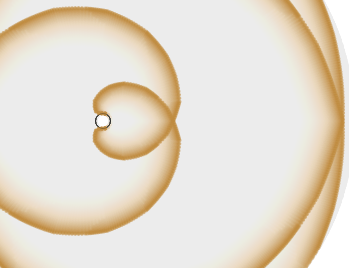
This time I’m not taking up all of the screen. Still working with polynomials and trigonometric functions.

Thoughts from a Recreational Physicist
This time I’m not taking up all of the screen. Still working with polynomials and trigonometric functions.
Still just playing with more effects. This is a bunch of sine waves layered up to create an envelope effect.

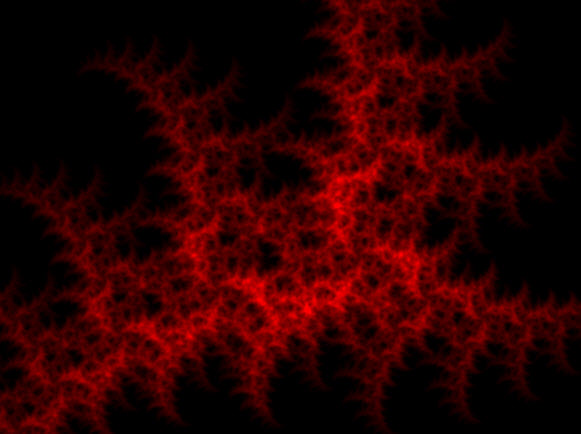
Fractals are abstract mathematical sets, and there are multiple methods to render them. I have some examples based on the “chaos game” and some based on the escape time algorithm.
To teach myself about webGL frame buffers and rendering to off screen targets, I wanted to try out rendering based on repeatedly rendering the entire image and merging it through each of the functions. It works well for subjects in the center of the screen, but it breaks down quickly as portions of the set stray off screen, which makes it tough to use as a general purpose renderer.
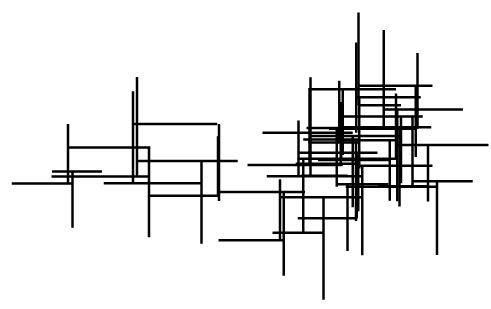
I’ve been messing around with various simple rendering techniques. This is a random walk branching off at right angles. To add a little more interest I added random motion through the space over time. Unlike my past demos, the motion is just a random walk which makes the motion very jittery and chaotic.
With the holidays my workload has backed off a little and I’ve been checking out chrome experiments for some inspiration. One of those was Ablaze js. One of the first graphic tricks I used on my TRS-80 color computer on the high resolution black and white mode 256×192 pixel screen was drawing curves with string art style lines. I never made it past just filling in along the sides of the screens. Seeing ablaze brought me back to those days.
So string art is my take on doing something similar. I wanted to use the same string art style and the brilliant colors of the original. However I wanted it to continue to evolve and look good indefinitely. I also wanted to use the differential equation solver as the source for the lines.
The first thing I thought about was the movement of the lines. I started with a particle system moving in a force field. The particles are moving in a central force field with a moving center. Overlaid on that is a uniform magnetic field so that the particles travel in tight loops.
Once I had the particle motion nailed down I experimented with several attempts to get something that looked good. My first attempt was to just draw lines between randomly generated particles. That started out with a nice initial distribution, but got unruly as the system unfolded. Next I tried similar particles, but those eventually drifted too far apart. Adding code to force them back together created some strange wedge shapes. Eventually, I settled on drawing a tangent line segment centered on the current location.
I tried a few simple color schemes before I settled on the blue and gold. If I spend some more time on it, I plan on making the colors independent for each particle and dependent on the velocity, but this looks good enough for now.
I’ve had this sitting on my computer for a while and thought I’d publish it rather then just leave it sitting there. This simulates a pulse of light expanding out like my compression wave examples. This time however, we are looking at a pulse of light expanding in the vicinity of a black hole. Rather than expanding out in a circular wave pulse, it wraps around the hole and circles back to the original location traveling around the hole forever.
I’m still trying to wrap my head around what this implies. Most General Relativity texts cover light cones tipping over at various distances from the black hole, and particular light paths including distances where light orbits the hole. The code is pretty rough and ugly right now, but is a fun little application of solving differential equations in javascript.
With the focus I’ve had on finishing out some of the fractal rendering code on the site, I’ve been going back and looking at some of my earlier stuff like the animated fractal demo. (This is not just a gratuitous link to some of my old demos, trust me) I’ve been leaving it open on my second monitor while I work, and it reminded me how much I like the motion.
The functions defining these images consist of 3 parameters: a central point, a rotation angle and a scale factor. My first attempts at making these things fly across the screen involved varying the position, angle and scale factors sinusoidally with random periods. It got the images moving and if you waited long enough, it was guarantied to trace out a significant volume of parameter space. However, it just ended up looking like it was constantly spinning and slowly changing shape.
My next step was to interpolate between randomly selected points in parameter space, which worked to make the motion more interesting, but it still would shrink to a point whenever it got too close to the origin and the scale factors were too small. Adding a constraint to the motion to put a minimum bound on the scales ended up fixing it and giving it the current zoomy, swooshy feel it has to day. That and adding a random factor to the time between random points along with a random pause at the point.
I use the same algorithm, with 3 dimensional fractals in the 3d bubbles demos here and here. Man, I just loaded the three.js version for the first time in a few months, and it is really fast with the latest version of chrome.
Now that I have some more experience at solving differential equations in Javascript, it might be fun to model the changes with a repulsive force at the origin and fade in attractive points at each of the destinations.
This is something that I just stumbled onto while working on something else. I’ve taken a quick break from the atomic orbital viewer. I’m trying to make the IFS fractals more visually interesting. One approach is to create Mandelbrot versions of the IFS fractals which should break up the uniformity. Instead of showing one image that is an exact copy of parts of itself, each part of it would be locally similar to a different fractal. The images I’ve been creating up until this point have all been analogs of Julia sets. I’m hoping the Mandelbrot versions will turn out more interesting. It also opens up the potential of higher dimension renderings as Mandelbrot sets exist in parameter space, not the actual fractal space.
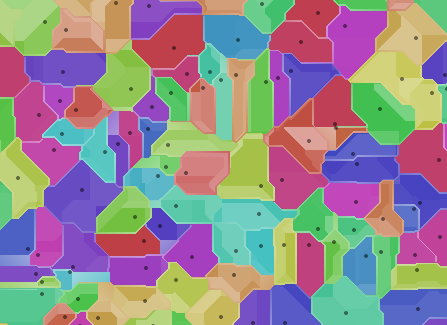
In order to do that, I need to estimate the “basin of attraction” for each mapping in the fractal. A voronoi diagram is one way to do that. I started out just generating standard simple diagrams as a test. Sometimes images are just the best way to see what is going on. Using a very simple algorithm, I just iterated through a list of random points and colored pixels based on the closest one. That meant I kept track of the minimum distance and the matching index. Which lead to renders of that distance, followed by the sine of the distance.

Now that I’m looking at alternate renderings, I figured the easiest way to find the borders of domains was to track the second closest point as well and whenever the distances between first and second point were equal you were on a boundary. That looked ok, but lead to some artifacts.
Now that I was collecting this info, I figured I’d try to do something else with it, so I applied it to the alpha channel and switched over to the taxicab metric just for fun.


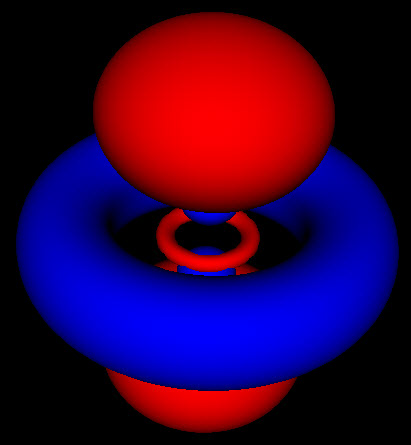 The atomic orbital viewer is now on it’s third release. The first one was just the basic blurry transparent renderer, using just the rotating basis from the standard derivation from undergraduate physics classes. The second release added an option to view standing wave functions instead of the rotating as the standing wave functions are the ones most commonly shown in physics and chemistry textbooks, as well as Wikipedia.
This new and much improved version has a new solid renderer. It shows images with the closest fidelity to those seen elsewhere. Some of the things I learned from this version:
I’ll be adding some more overview posts soon. The new renderer is generating new insights. I’ll also be adding more models like the harmonic oscillator, and start demoing some superpositions.
I’ve finally got some code accepted as a chrome experiment. This time it’s a renderer for atomic orbitals using webGL. The technique isn’t so much a ray tracer as much as a ray shader. It sums the probability distribution over rays passing through the orbitals. I’m thinking about ways to adapt it to a solid version next, plus some fun with black holes.